On this page
Claude chat and Claude Cowork are now one thing. On November 12, 2026 the unified experience became generally available for Team plans, and on December 1 it turns on by default for every Team organization that has not opted out. Members stop choosing between chat and Cowork: a conversation starts as a chat, and when a task needs to run code or work with files, Claude carries on in a cloud environment that Anthropic manages. For an admin, three things matter: whether you can use it at all, what it does to your usage bill, and which settings to set before it switches on by itself.
We received this as an admin notice from Anthropic for our own Team plan. Every date, setting and limit below is checked against Anthropic's help centre, linked in each section, as at November 14, 2026.
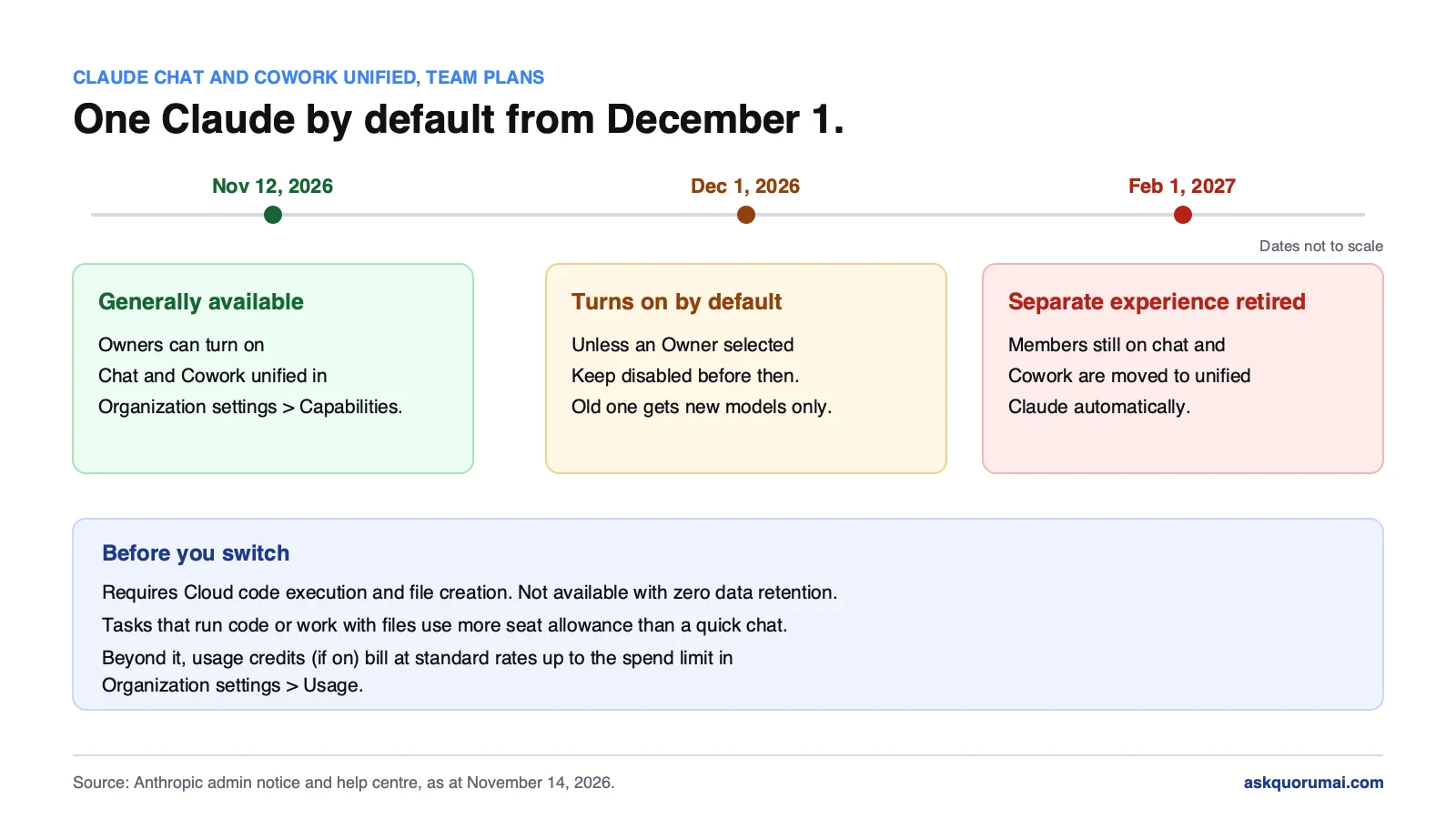
At a glance
| Date | What happens | Action needed |
|---|---|---|
| November 12, 2026 | Unified Claude generally available on Team plans | Optional: turn it on now |
| December 1, 2026 | Turns on by default | Select Keep disabled before then, if you are not ready |
| February 1, 2027 | Separate chat and Cowork retired | None possible: everyone moves |
1. Claude Cowork vs chat: what changes when they merge
Until now a member picked a mode first: chat for questions, or Cowork, which Anthropic describes as using the same agentic architecture as Claude Code, with no terminal required, for work that runs code, builds files or acts on their behalf. Anthropic's overview of the change removes that choice. A member describes the task, and Claude decides which tools it needs.
- Every conversation starts as a chat. A quick question stays a quick answer.
- Work moves to the cloud when it needs to. When a task needs code or files, the same conversation continues in an Anthropic-managed cloud session, and Claude returns the finished work for review.
- It follows the member between devices. Because the work runs in the cloud, a task started on the web can be picked up on desktop or mobile, and a member can close the laptop while Claude works.
- Local files are optional. A member can link their computer through Claude Desktop so Claude can reach local folders and apps.
Nothing is lost in the move. Chats and tasks appear together in Recents, existing Cowork tasks open as they did before, and projects, connectors, skills, artifacts and files all carry over.
Anthropic's overview also lists what does not work yet: no GitHub integration, no conversation branching, incognito chats still use the previous experience, search does not include older Cowork tasks, and Dispatch is not available to new users. If your team relies on one of these, that is your reason to keep the old experience until February.
2. The dates: November 12, December 1 and February 1
The Team setup article sets out the schedule:
- November 12, 2026. Generally available. An Owner can turn it on today.
- December 1, 2026. It turns on by default, unless an Owner has selected Keep disabled in Organization settings → Capabilities.
- February 1, 2027. The separate chat and Cowork experience is deprecated. Members still on it are moved to unified Claude automatically.
Between now and February the old experience still gets new models, but no new features. Anthropic plans new features for the unified experience only, so waiting the full period means your team falls behind on features in the meantime.
3. Before you turn it on: two hard requirements
Cloud code execution and file creation must be on. The unified experience depends on it. The Cowork and Cowork cloud settings do not need to be on.
Zero data retention organizations cannot use it. If your organization has zero data retention, the unified experience is not available to you. Read the dates above with that in mind, and confirm with Anthropic what applies to your account before December 1.
To turn it on, an Owner or Primary Owner opens Organization settings → Capabilities, turns on Chat and Cowork unified, and asks members to refresh the app. The switch is for the whole organization: the Team article describes no way to turn it on for some members first.
4. The settings to check first
Work that runs in the cloud can reach the internet, your connectors and, if allowed, a member's own computer. Each of these has a control, all in Organization settings → Capabilities:
| Setting | What it controls | What to decide |
|---|---|---|
| Network egress (under Code execution) | Which internet destinations cloud sessions can reach | Off, package managers only, your own list of domains, or all |
| Approval modes | Whether members may choose Always allow, Skip all approvals or Automatically approve | How much Claude may do without asking |
| Computer access | Whether members can link their own computer | Off if local files should never be reached |
| Trusted devices | Whether a remote connection needs a verified device | On, if computer access stays on |
| Scheduled tasks | Whether tasks can run on a schedule, without the member present | Who needs it, if anyone |
Connector policies still apply: Anthropic enforces them on every call, so the choices you made for default-on connectors carry over unchanged.
Of these, network egress matters most. A cloud session with all destinations open can fetch and send to anywhere on the internet. Package managers only is a narrow setting that still lets most code tasks install what they need. If you run self-hosted Claude Code environments, note that this work runs in Anthropic's cloud, not on your runners, the same point we made about Code-tab tasks without a repository.
5. Usage and cost: what to set before members notice
The change most likely to surprise a finance team. Tasks that run code or work with files use more of a member's seat allowance than a quick chat. Once a member could do this by asking a question, rather than by opening Cowork on purpose, expect usage to rise.
What happens past the allowance depends on usage credits:
- Usage credits off. The member stops at their allowance.
- Usage credits on. Work beyond the allowance is billed at standard rates, up to the organization-wide spend limit set in Organization settings → Usage. Anthropic says per-member limits are also available for some organizations.
We covered the usage credit settings, spend limits and auto-reload in detail in our Fable 5.2 Team plan guide. The same settings apply here, so check them once, for both.
You can see the effect. Usage reports show a separate Chat and Cowork unified line, and the analytics area under Apps has a Chat and Cowork unified page with daily active users. Past usage keeps its old labels, so compare before and after from the day you switch, not from the start of the month.
6. Where the data goes
Each chat that needs code or files gets its own isolated cloud environment. It stops when idle and expires 30 days after it was created. Deleting a chat deletes its cloud sessions, deleting a project deletes its conversations and its project memory, and conversations otherwise stay until a member deletes them. Anthropic notes that deletion runs in the background and that flagged content or data it must keep by law may be retained.
Telling your team
A short note saves a week of questions. Something like:
Claude chat and Cowork are now one. Start every task as a chat. When it needs code or files, Claude carries on in the cloud and you can close your laptop. Your old chats, Cowork tasks and projects are all in Recents. These tasks use more of your allowance than a quick question, so [keep big jobs to work that needs them]. [Do not link your own computer; local access is off for our organization.]
Keep the lines that match your settings and delete the rest.
The checklist
- If your organization uses zero data retention, confirm with Anthropic what applies to you before December 1.
- Check that Cloud code execution and file creation is on.
- Set network egress, approval modes, computer access, trusted devices and scheduled tasks in Organization settings → Capabilities.
- In Organization settings → Usage, check usage credits and the spend limit.
- Turn on Chat and Cowork unified, or select Keep disabled before December 1.
- Tell your team what changed and which lines apply to them.
- A week later, check the Chat and Cowork unified usage line.
For a team that already has written Claude settings, this is an hour. For one that does not, this is a good time to write them down, because from February there is only one Claude to configure.
Common questions
Claude's agent for finished work rather than answers. It uses the same agentic architecture as Claude Code, with no terminal, so a member describes an outcome, steps away and comes back to documents, organized files or research. Sessions run in Anthropic's cloud; local files and browser use need the Claude Desktop app open. From December 1, 2026 it is part of one unified Claude on Team plans rather than a separate mode.
Claude chat and Claude Cowork merged into one conversation. Members no longer choose between them. Every conversation starts as a chat, and when a task needs to run code or work with files, Claude continues the same conversation in an Anthropic-managed cloud environment and returns the finished work. It works on web, desktop and mobile.
It became generally available for Team plans on November 12, 2026. It turns on by default on December 1, 2026, unless an Owner selects Keep disabled in Organization settings, Capabilities, before then. The separate chat and Cowork experience is retired on February 1, 2027, and members still on it are moved over automatically.
Sign in as an Owner or Primary Owner, open Organization settings, Capabilities, and turn on Chat and Cowork unified. Cloud code execution and file creation must already be on for the organization. Then ask members to refresh the app. The switch applies to the whole organization.
Until February 1, 2027. Select Keep disabled in Organization settings, Capabilities, before December 1 to stop it turning on by default. After February 1 the separate experience is deprecated and every member is moved to unified Claude. Until then it gets new model launches but no new features.
It can. Tasks that run code or work with files use more of a member's seat allowance than a quick chat. If usage credits are on, work beyond the allowance is billed at standard rates, up to the organization-wide spend limit set in Organization settings, Usage. If usage credits are off, members stop at their allowance.
No. Anthropic's setup article for Team organizations says organizations using zero data retention cannot access the unified experience.
They carry over. Chats and tasks appear together in Recents, existing Cowork tasks open as they did before, and projects, connectors, skills, artifacts and files move to the unified experience.
In Anthropic's cloud. Each chat that needs code or files gets its own isolated environment, which stops when idle and expires 30 days after it was created. Members can also link their own computer through Claude Desktop so Claude can reach local folders and apps, and an Owner can turn that off.
Law and guidance as at 14 November 2026. This is general information, not legal advice.